Put the right person in the right place
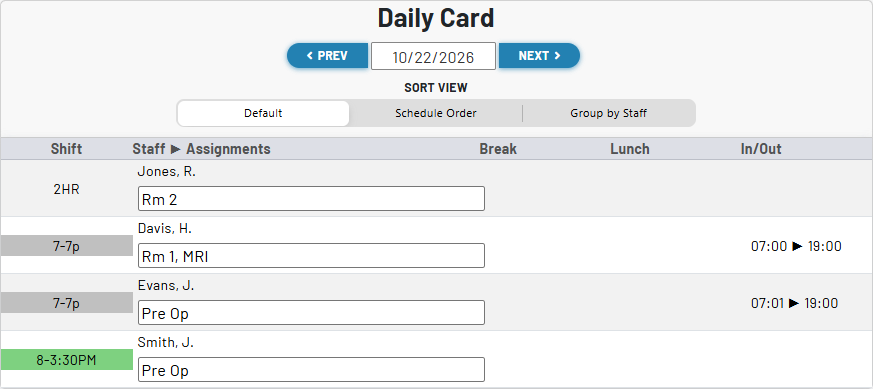
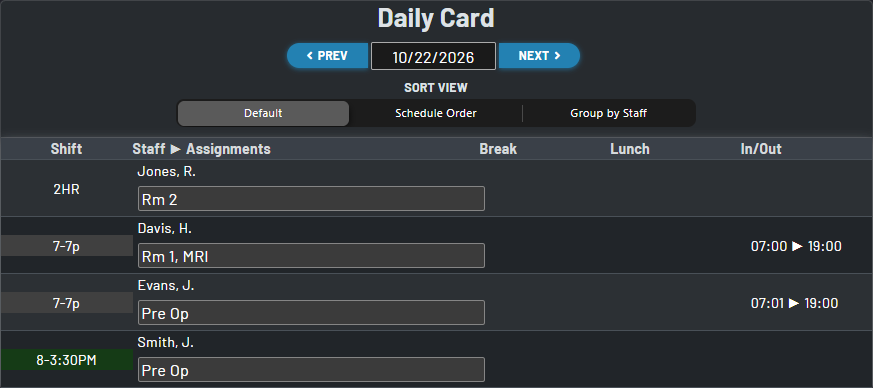
Assignments add the day-of details that a shift code alone cannot carry: rooms, stations, tasks, and other responsibilities are visible beside each staff member’s schedule.
Define the work, place staff, and share the plan
Assignments turn a staffing schedule into an operational view of the day. Configure the places or tasks your team uses, make assignments from the Card page, and let staff see their day’s responsibility directly on the schedule.
1. Configure types
Create the assignment types that matter to your operation, such as Rm 1, MRI, or Pre Op. These can have a set limit for unique assignments or an undefined limit for more common types.
2. Assign on Card
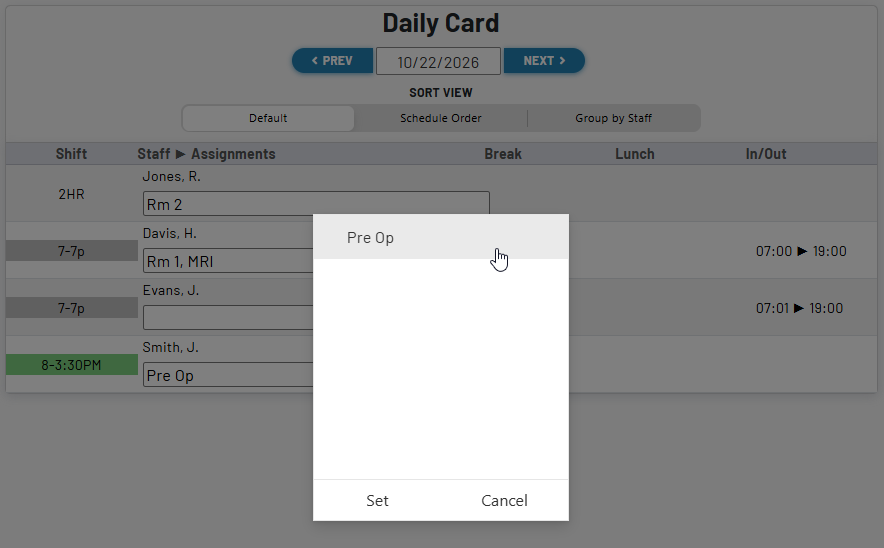
Use the Card page to delegate the day’s rooms or tasks to staff while reviewing the full staffing picture.
3. See it on schedule
The assigned abbreviations appear with the staff member’s schedule on the day they are needed.
Use your organization’s language
An assignment type has a short name for the schedule and a fuller description for the people setting it up. This makes the daily view concise while preserving the meaning behind each label.
Order assignment types to match the way your team thinks about coverage, then maintain them from Setup → Assignment Types as the operation changes.
Make changes where staffing decisions happen
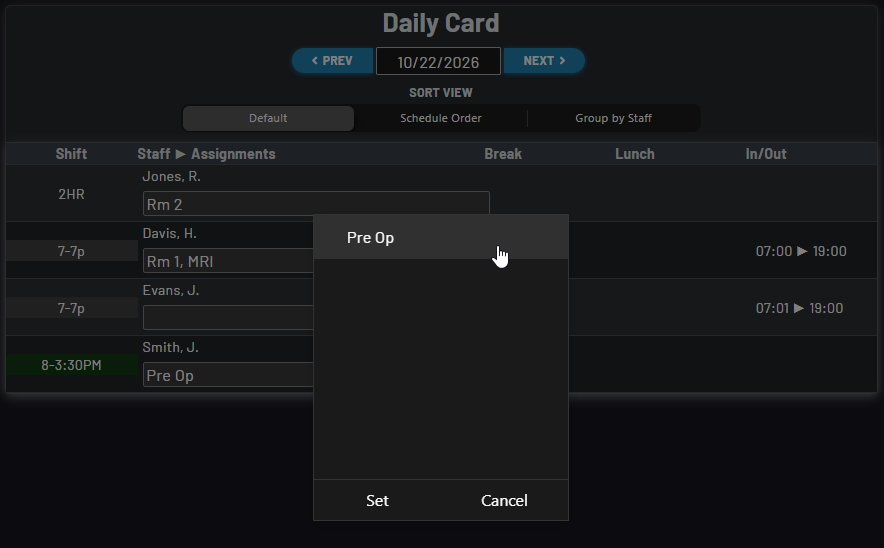
The Card page gives authorized schedulers an assignment field for each staff member. Enter or revise the appropriate assignment names as coverage is finalized; the daily schedule remains the shared source of truth for staff.
Staff-by-staff placement
Review each person’s shift and responsibility together, so assigning a room or task stays grounded in the actual schedule.
Fast corrections
Update the day’s assignment as needs change, without redefining the staff member’s shift code or rebuilding the schedule.
Visible where it matters
Staff can see the assigned abbreviations on the schedule for the current day, giving them a direct view of their responsibility.
Model the capacity of each assignment
- Choose whether an assignment type is intended for one person or can be assigned to multiple staff members.
- Use distinct types for locations, procedures, roles, or any daily responsibility your team needs to distribute.
- Keep assignment labels separate from schedule codes, so a person’s work status and operational placement can both be understood at a glance.
- Use concise abbreviations for the live schedule while retaining a descriptive name in configuration for reliable handoffs and administration.
Delegate assignment work without opening every setup control
Role-aware editing
Owners, Schedule Admins, and Assignment Managers can add or edit daily staff assignments from the Card page.
Focused staff visibility
Staff-facing schedules display the day’s assigned labels, while assignment management remains with the roles responsible for coverage.
Opt-in configuration
Enable Assignments in Schedule Configuration, then create the assignment types that make sense for that schedule.
An operational schedule
Keep the coverage plan understandable: who is scheduled, where they belong, and which responsibilities are covered today.
Turn staffing into a plan people can act on
Use Assignments when a shift code tells only part of the story. Whether the day calls for rooms, stations, procedures, call responsibilities, or task ownership, Assignments keeps that detail connected to the person and the date. The result is a schedule that communicates both coverage and the work behind it.