Give people a simple place to share when they can work.
My Availability™ gives temporary, contracted, and flexible staff a personal availability schedule that stays connected to the primary schedules where coverage decisions are made.
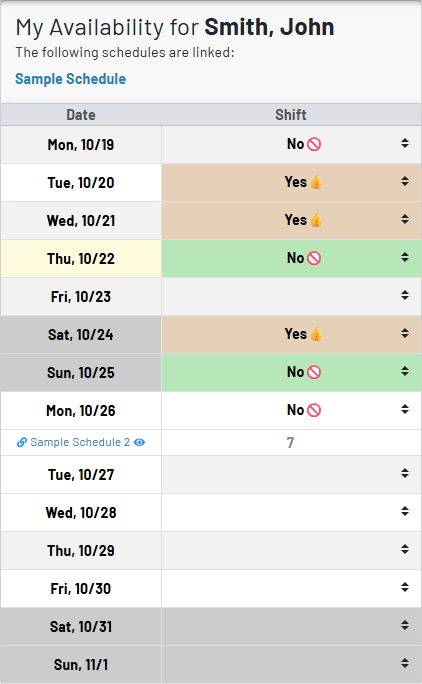
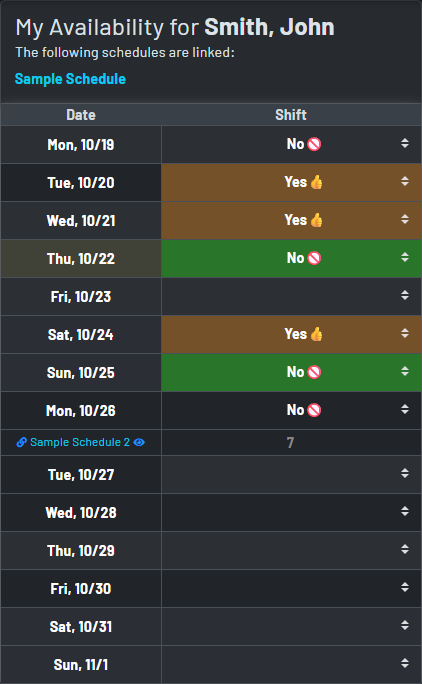
A personal availability calendar with a direct line to the working schedule
- Create a dedicated My Availability schedule for an eligible staff member with a user account—typically a lightweight calendar for one person, not another full departmental schedule to administer.
- Staff enter availability using familiar schedule cells and codes, while the resulting availability is linked back to the primary schedule automatically.
- Schedulers can see availability in the same date grid where they make coverage decisions, rather than opening separate spreadsheets and unrelated calendar.
- Keep availability distinct from a committed assignment: it provides useful planning context without silently turning a person’s availability into a scheduled shift.
- Ex: My Availability allows you to enter you availability while linked back to a primary schedule. Users can show when they are free without having to commit to a shift at every free moment. Multiple availability codes can be created, and links to other schedules are maintained to avoid potential overlap
The My Availability wizard builds the right starting point
Purpose-built personal schedule
The wizard creates a special availability schedule, a focused staff record, and the link to the selected person on the primary schedule in one guided step.
Useful defaults from day one
Start with clear Available and Not Available codes, then add your own codes when the organization needs more specific availability states or instructions.
Staff-centered ownership
The selected staff member is made the owner of the new availability schedule and receives an invitation, so they can maintain their own information without needing to manage the full primary schedule.
How availability reaches the people building coverage
Let staff maintain the answer. Let schedulers see it where they already work.
Choose a staff member with an associated user account. If that person already has a My Availability schedule, MyStaffSchedule reuses it and links it to the current primary schedule instead of creating a duplicate.
They use a personal schedule view to mark the dates and details that describe when and where they can work.
Availability data is displayed as a linked row on the primary schedule for the corresponding staff member and dates.
Availability informs the decision; the primary schedule remains the authoritative place to assign work, manage coverage, and publish the plan.
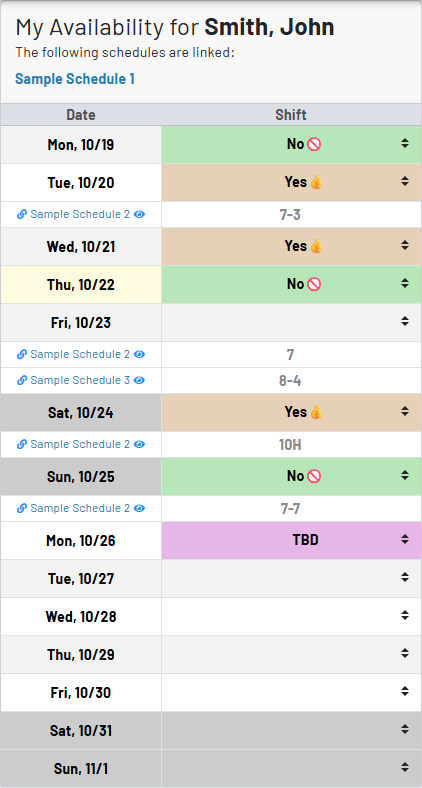
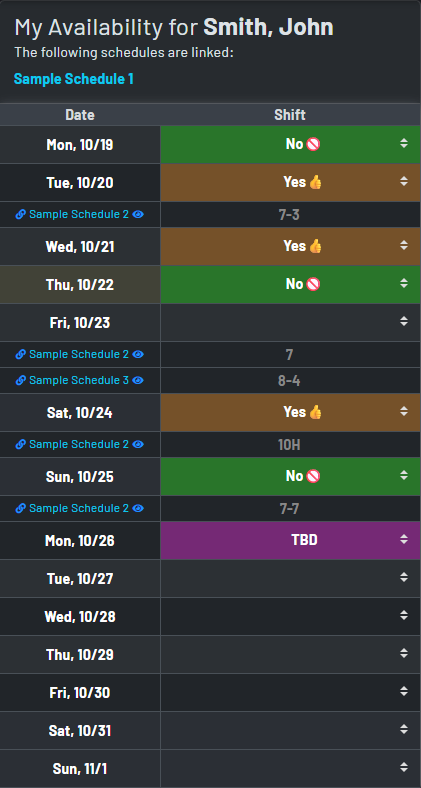
Reuse a person’s availability wherever their coverage is needed
- The same My Availability schedule can be linked to more than one primary schedule, which is especially useful for floating, temporary, and contracted staff.
- When availability is specific to a location or schedule, staff can put the relevant location name or abbreviation in the availability cell—for example, an available status with “Main” or “Any” context.
- Linked rows retain the source schedule identity, making it easy for schedulers to recognize that the information is availability coming from the staff member’s connected calendar.
- This lets organizations share one maintained availability record across the places it matters instead of asking people to repeat the same update in every departmental schedule.
- Ex: An availability chart may have multiple linked schedules as well as custom availability codes when desired.
Choose how linked availability is shared
Shared when broad planning helps
Use the standard linked view when the scheduling team benefits from having availability visible alongside other coverage information.
Private when discretion matters
Choose a private link when availability should be restricted in the normal linked view, while authorized administrators retain the operational context they need.
Availability that works as part of scheduling, not beside it
No duplicate maintenance
A person’s existing availability schedule can be linked to another primary schedule, preserving one personal source of truth instead of creating competing availability records.
Familiar scheduling experience
Availability is entered and reviewed through the same date-based schedule language your team already uses—codes, free text, linked rows, and direct navigation.
Cleaner scheduler decisions
See current availability in schedule context before assigning work, which reduces the manual checking and back-and-forth that slows down flexible-staff coverage.
Staff autonomy with controlled scope
People update their own availability calendar while the organization keeps assignment, approval, and publication controls on the primary schedule where they belong.