Make every coverage gap visible and actionable.
Open Shifts turns unfilled work into a clear, trackable opportunity—so staff can respond and schedulers can move a need from discovery to coverage with confidence.
Create a shared path from an uncovered shift to a staffed one
- Create a specific open shift when coverage is needed, or create one directly from the schedule context.
- Describe the need using a configured code or free-text/number value, with an optional option and quantity for the number of people required.
- Let eligible staff sign up for the work while schedulers retain a single place to review the response and finalize coverage.
- Keep every open need connected to its date and schedule, rather than managing availability in disconnected messages or spreadsheets.
- Modify each open shift directly from the schedule, avoiding any confusion between pages
-
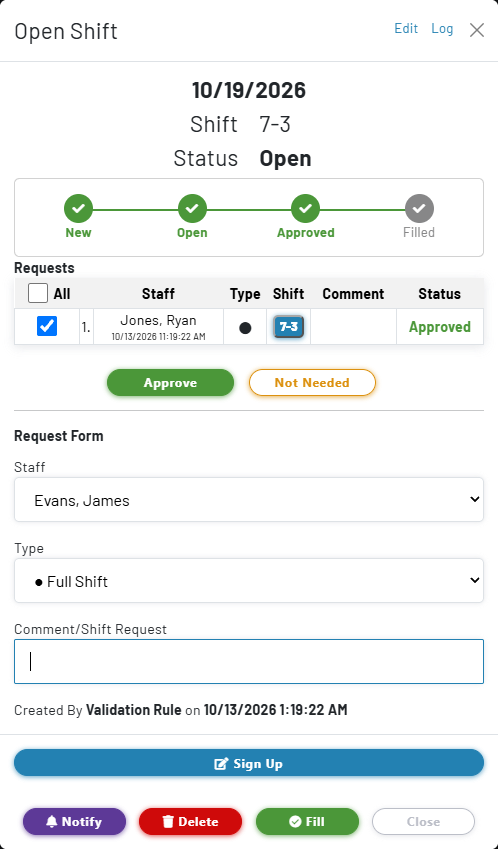
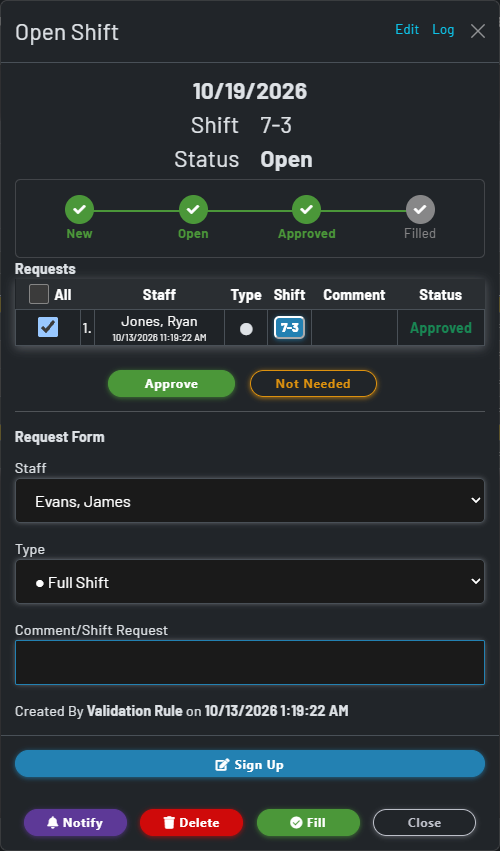
- Ex: Creating an Open Shift for the 19th lets you edit a modal directly from the schedule.
- This modal allows staff to sign up for an open shift as well as for admins to sign up.
- Shifts can also be created with a variety of shift lengths if desired. Schedule admins may automatically fill this open shift or notify staff members, as well as approval requests.
Capture the details staff need before they sign up
Date and coverage quantity
Set the date and the number of openings needed. The Open Shift view makes the required quantity and signup activity visible together, helping teams see when a need is fully covered.
Code, free text, and options
Use either a configured code or a free-text/number entry to identify the work; the system prevents using both for the same shift. Add an option when more detail is required.
Auto-approval when appropriate
Choose whether an open shift can be auto-approved, giving organizations a faster route for trusted, straightforward coverage needs while retaining review where it matters.
Follow every coverage need from opening to outcome
A clear status gives staff and schedulers the same understanding of what needs attention, what is being reviewed, and what is already resolved.
New
New opportunities, including needs surfaced by validation rules, are ready for staff awareness and action.
Open
The shift remains available while staff signups and approvals are tracked against the coverage need.
Filled
Once coverage is finalized, the shift is marked filled so it no longer appears as an active need.
Cancelled
When the need changes or disappears, a cancelled status preserves the operational record without presenting it as available work.
Targeted notification without the manual follow-up
- Notify selected staff groups, individual staff members, or both when an opportunity is created or needs additional attention.
- Use the existing staff and group structure to focus outreach on the people most likely to be able to cover the shift.
- Keep the notification connected to the open shift, so recipients can move from awareness to signup with the relevant date and assignment context available.
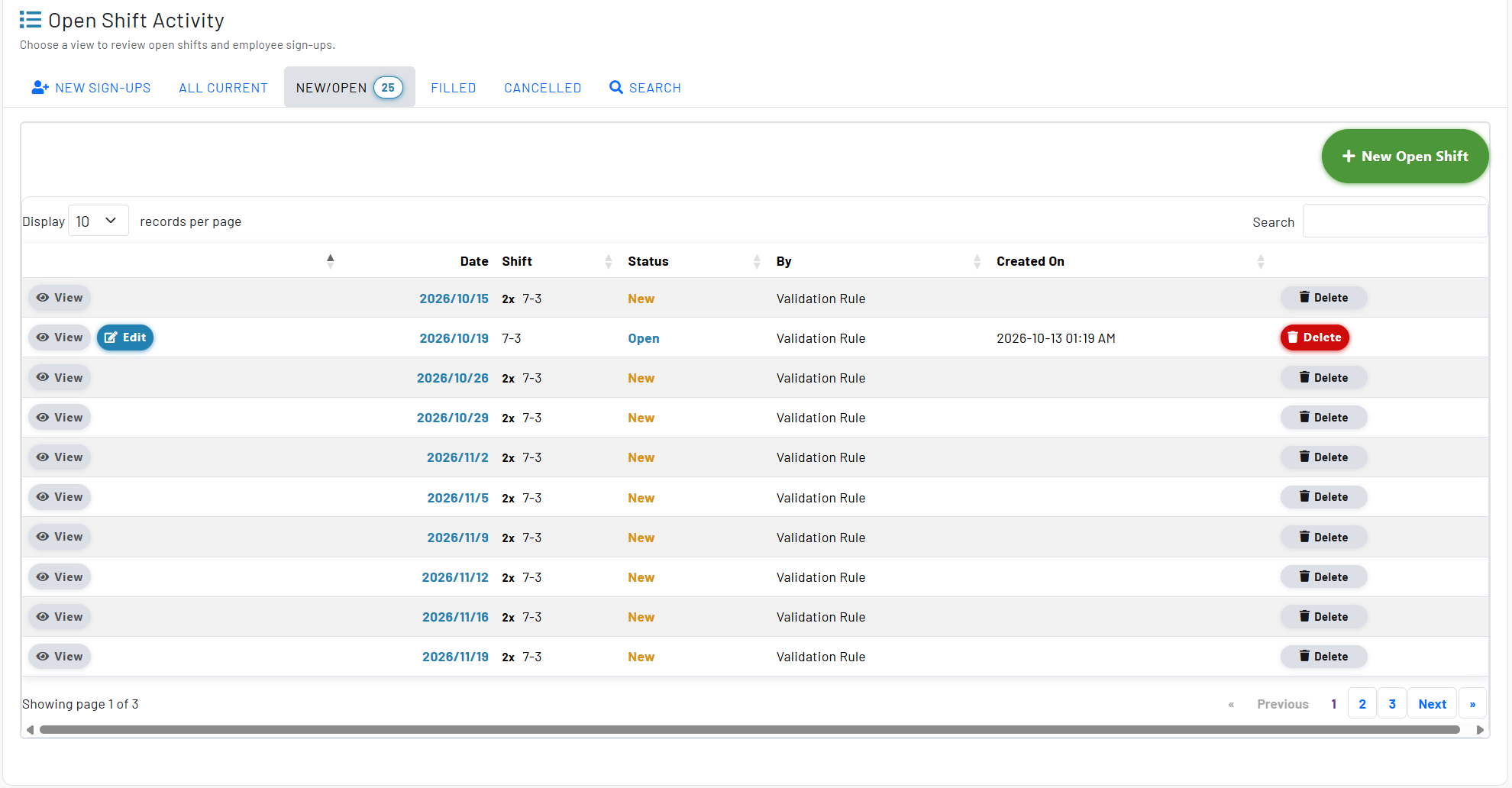
- Review new signups in a dedicated queue, rather than relying on schedulers to reconstruct responses from separate conversations.
Treat shortages as Open Shifts automatically
Validation-driven openings
Configure a validation rule to convert a shortage into an Open Shift. When the schedule falls below the required coverage, the open need is presented for the applicable future date.
No duplicate noise
When a matching open shift already exists for the date and assignment, MyStaffSchedule avoids adding a second validation-generated opportunity for the same need.
Review, organize, and report on coverage activity
Dedicated queues for staff and schedulers
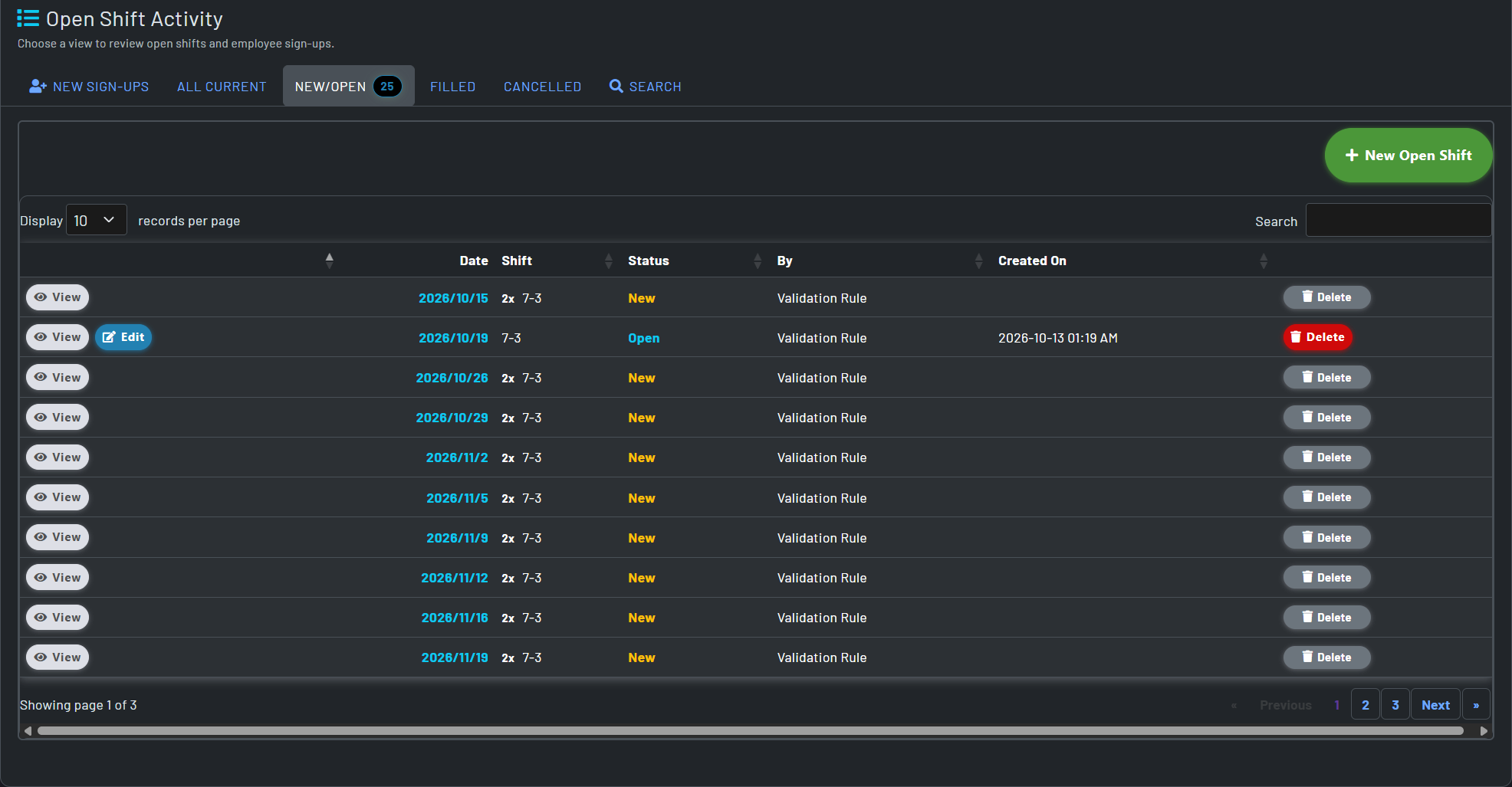
Use views for New Sign Ups, My Sign Ups, All Current, New, Open, Filled, and Cancelled items to focus each user on the work most relevant to them.
Calendar and schedule visibility
Review open shifts in a calendar with status filters or alongside the schedule, where current opportunities and staff signup indicators stay connected to the working plan.
Searchable historical record
Search and filter archived activity by date, status, code, or option to understand how coverage needs were handled retroactively.
Organization-level reporting
Report across selected schedules to see open-shift demand and response activity at a broader operational level.