Build the pattern once. Keep the schedule moving.
Create a dependable repeating rotation for the teams, shifts, and assignments that follow a predictable cycle. MyStaffSchedule maintains that pattern.


Turn a known rotation into a reliable schedule foundation
- Use the Repeating Schedule feature for teams whose shift, code, number, or free-text assignment follows the same pattern from cycle to cycle.
- Maintain the pattern in a focused cycle view while preserving the primary schedule for date-specific staffing decisions.
- Give schedulers a reusable baseline, so they can spend less time rebuilding routine coverage and more time handling exceptions.
- Support different rotation lengths by staff group, including weekly cycles that repeat after the configured number of weeks.
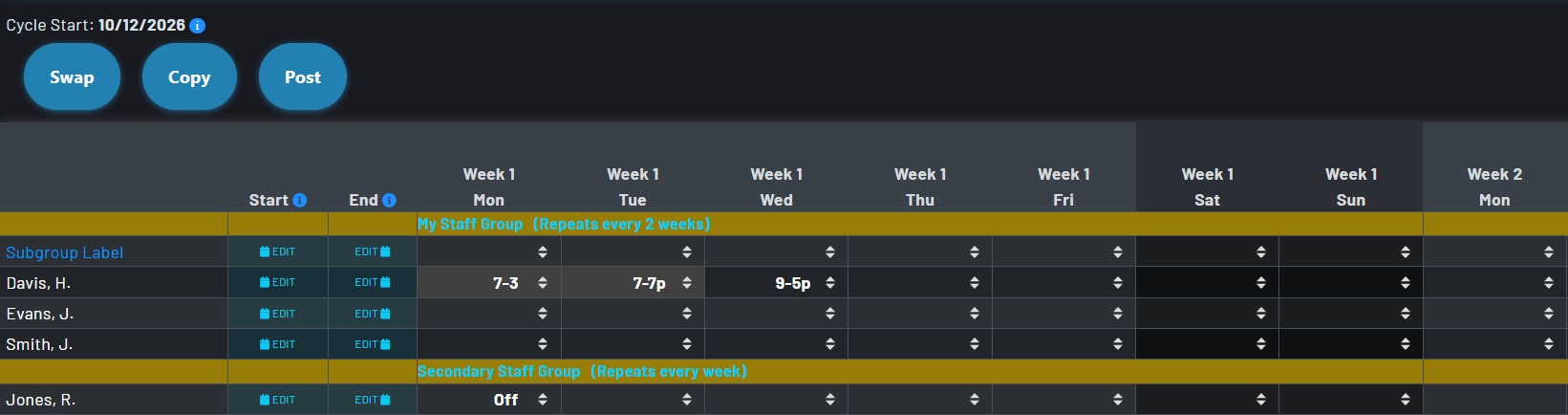
- Provide visual distinction between automated schedules and manual inputs.
A common calendar anchor, flexible group patterns, and individual applicability
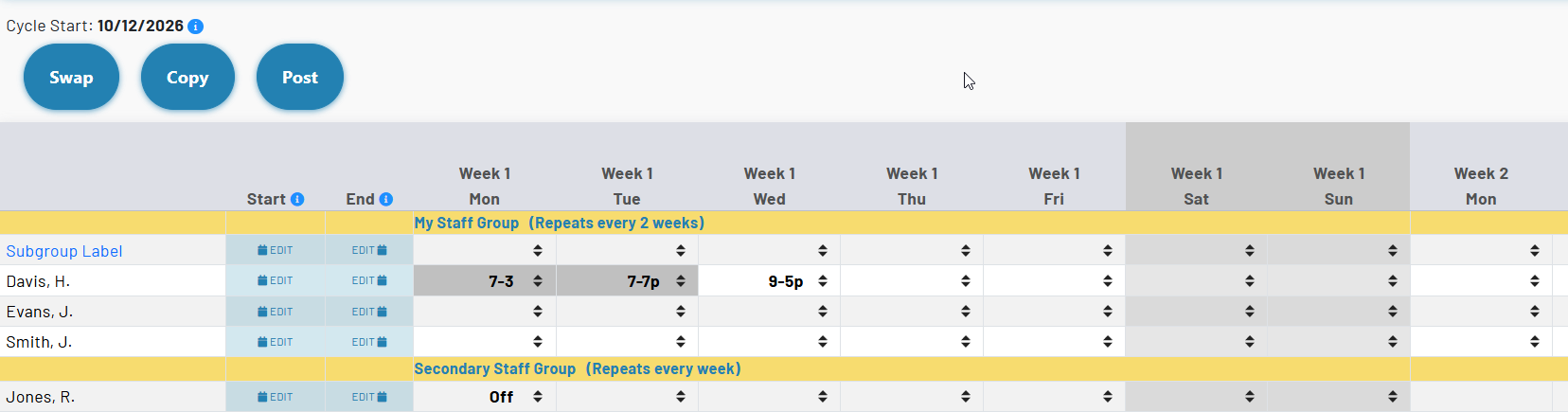
Cycle Start Date
The schedule configuration establishes the shared date that anchors all repeating schedules. Once a rotation is in use, this date will be used as a baseline starting point for the defined patterns.
Staff Group Cycle Repeat
Set the weekly cycle repeat value on a staff group to define how many weeks pass before that group’s pattern starts again. Groups without a repeat value are not part of the repeating-cycle setup.
Staff Cycle Dates
Apply optional start and end dates to control when a staff member’s repeating data appears on the primary schedule. This is useful when a person joins, leaves, or changes rotations without changing the underlying group pattern.
How a repeating schedule comes together
Define the rhythm, enter each week in the cycle, and use the primary schedule for the real-world decisions that do not repeat.
Choose the Cycle Start Date in Schedule Configuration. It provides the reference point for every repeating pattern in the schedule.
Assign the appropriate Cycle Repeat in Weeks value to each group that uses a rotation. A one-week group repeats weekly; longer rotations repeat after their configured number of weeks.
Open Repeating Schedule and enter the recurring codes, numbers, or free-text assignments for each person and each day of the cycle.
The recurring pattern supplies the baseline on applicable dates, while the primary schedule remains the place for overrides, changes, and one-time coverage decisions.
Keep routine coverage and daily decisions in the right place
- Primary schedule assignments take priority. A direct assignment or shift on the primary schedule overrides the repeating pattern, including when that primary entry is intentionally cleared.
- Past assignments are protected. Changes to a repeating schedule apply to the current week and future dates without interfering with historical coverage.
- Each group has granular controls. A single schedule can support different repeating intervals, allowing weekly, biweekly, and longer rotations to coexist.
- Recurring values stay recognizable. Repeating entries use the same standard schedule codes, numbers, and free text for an easy to read template.
Tools for common pattern changes
Swap
Exchange recurring schedules between staff when two people change places in a rotation, keeping the cycle structure intact.
Copy
Copy a recurring pattern to another staff member instead of entering a matching rotation cell by cell.
Post
Post selected repeating entries when a future pattern needs to be captured on the primary schedule alongside a planned change to the rotation.
Designed to make a repeating pattern easy to trust
Focused cycle view
Review a concentrated view of the rotation instead of scanning every future date of the primary schedule to confirm the underlying pattern.
Current-week editing with forward effect
Update the active cycle knowing that future applicable dates will reflect the new recurring plan, while prior coverage remains a dependable record.
Clear exception handling
Use the primary schedule for PTO, coverage changes, special events, and other exceptions without dismantling the established rotation.
Reusable during schedule copy
When creating a new schedule from an existing one, repeating schedules can be included with the related staff, codes, and options so proven patterns are easier to carry forward.