Connect the schedule to the time that was actually worked.
Timesheets keeps planned assignments, clocked time, staff attestation, manager review, and payroll-ready reporting in one scheduling workflow.
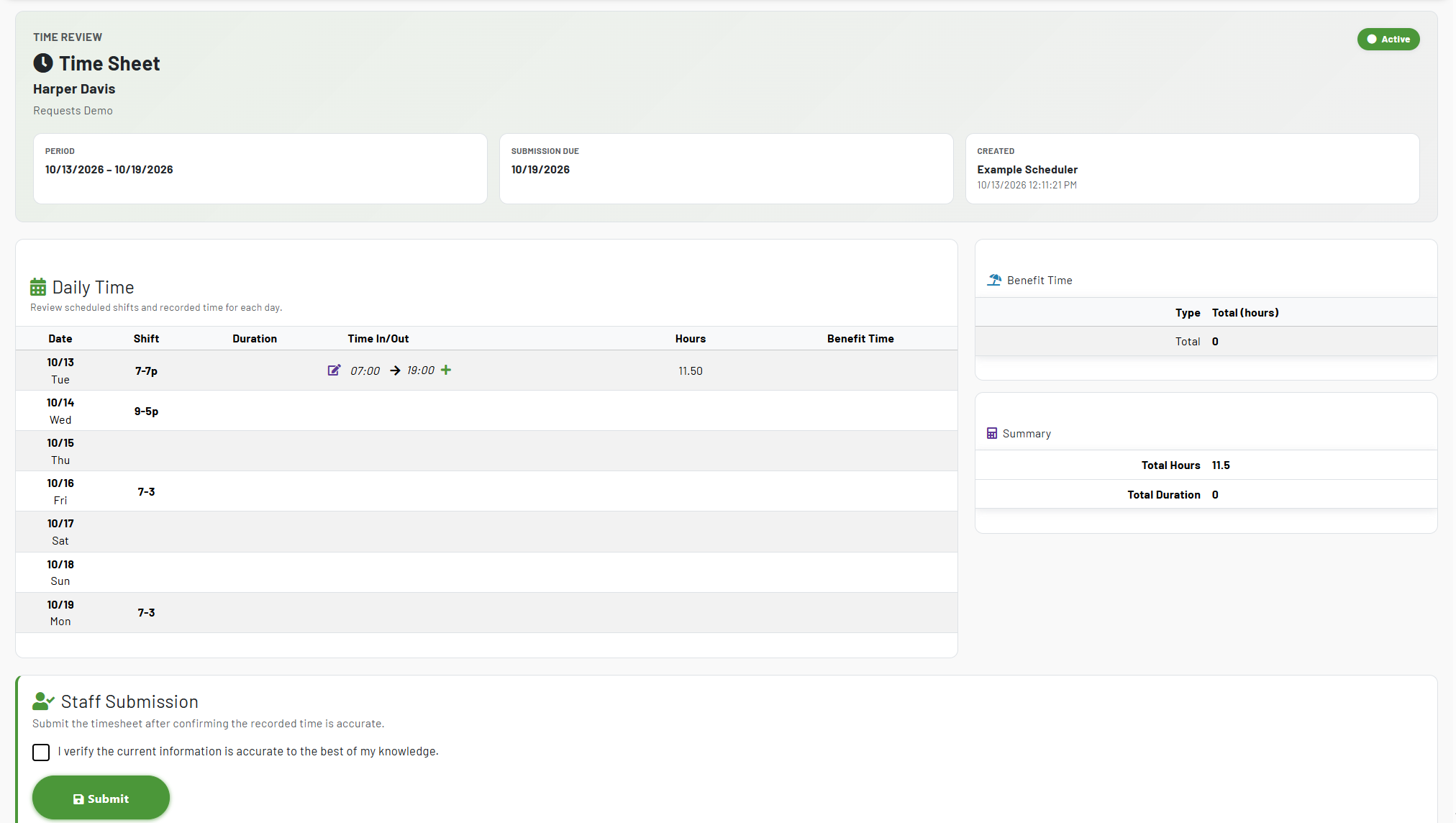
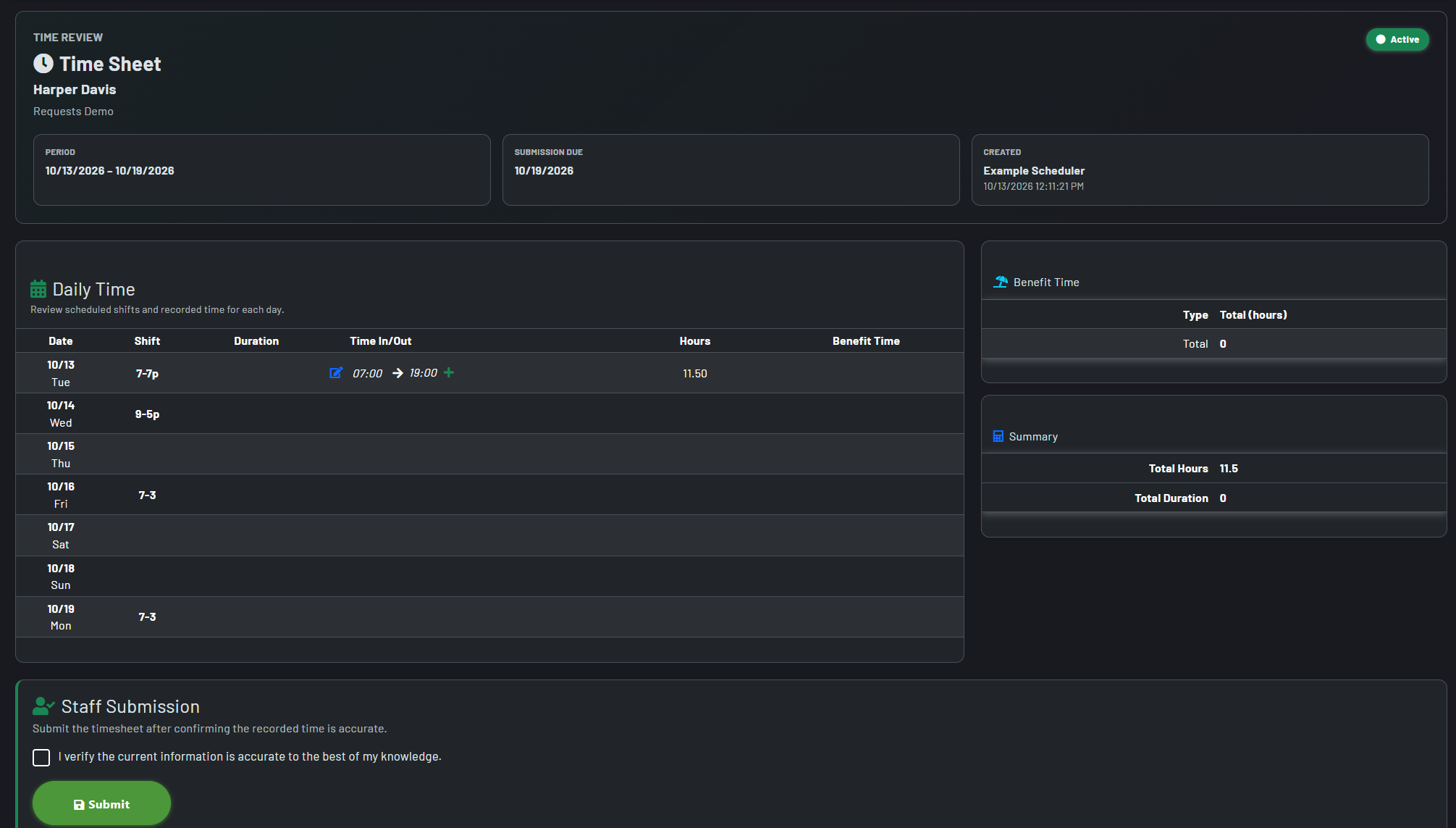
Actual time begins with the schedule your team already knows
- Each pay-period timesheet is created for the staff member and dates, then refreshed with the related scheduled assignments before submission.
- Staff see their scheduled shift alongside time entry instead of tracking their time sheets in a generic ledger.
- Record actual time with clock in/out tools or manual entry, then account for breaks, lunch, additional work, call-in minimums, pay codes, and benefit time when configured.
- Keep the schedule as the plan and the timesheet as the verified record to track your reality and any disparities.
Pay-period controls that match day-to-day operations
Cycle-aligned periods
Set a cycle start date and pay-period duration to create a consistent timekeeping rhythm. An optional extension keeps the period current after its end date when your submission process needs extra time.
Helpful defaults, not rigid assumptions
Set default start time and meal/break values to reduce repetitive entry. Staff and authorized managers can still correct the actual time when the day does not follow the plan.
Special-pay readiness
Configure call-in minimums, pay codes, benefit types, and benefit time to capture the payroll details that do not fit a simple in/out pair.
Capture a complete day, including the exceptions
A timesheet should reflect the workday that occurred—not make staff force every shift into a single, idealized template.
Clock in and out
Staff can clock time against the active pay period, creating or updating the day’s time entry from a focused clock experience.
Multiple entries per day
Add additional time entries when a day includes more than one work period, call-in, or other separately tracked work.
Cross-midnight continuity
When work carries past midnight, the clock workflow preserves the prior-day context and records the overnight portion correctly.
Incomplete-entry visibility
Missing in or out times are flagged before submission so staff and managers can resolve gaps as soon as possible.
Staff submission and manager review remain distinct
- Staff submit only after confirming that the recorded information is accurate to the best of their knowledge.
- Submission history identifies who submitted the timesheet and when, providing a clear handoff from individual time entry to review.
- Authorized managers review submitted timesheets with their own attestation and can mark the record Approved or Not Approved.
- Incomplete records cannot be submitted, helping prevent avoidable review cycles and payroll corrections further down the line.
- Timesheets can be viewed at each stage of the process, tracking which are
See variance where it matters, not after data has been exported away
Schedule context in every entry
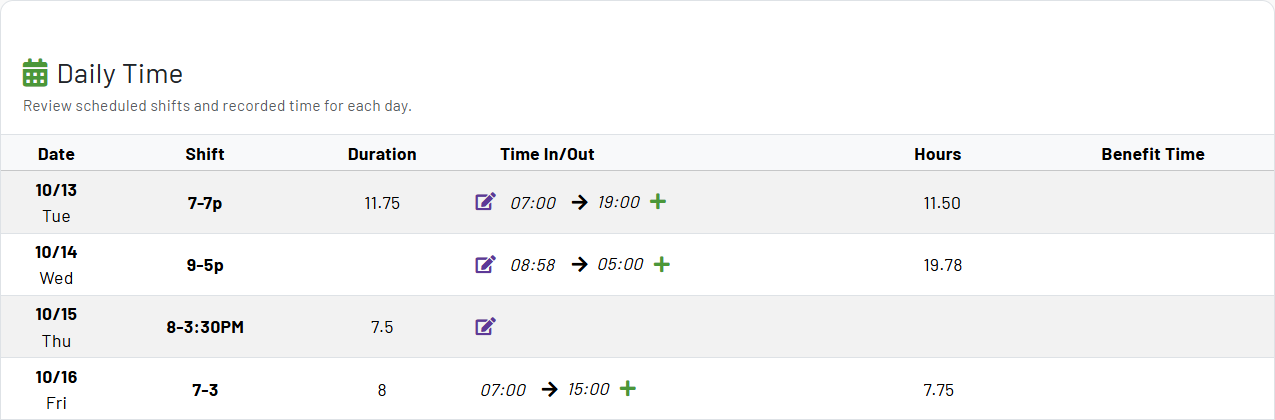
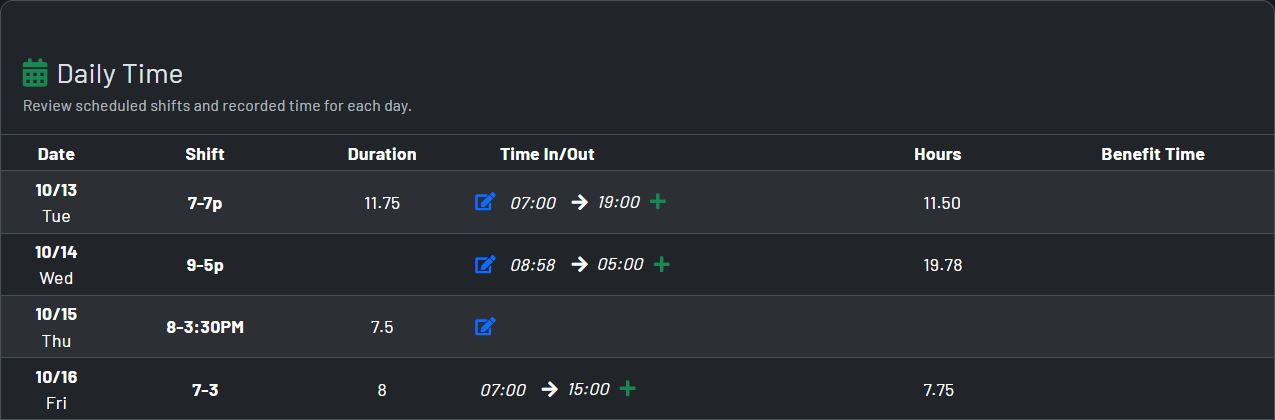
The timesheet presents the associated shift for each day, including a clear no-shift state when actual work was recorded outside the scheduled plan.
Overage insight
Compare worked time with scheduled duration to identify positive overage by staff and day, making unplanned time easier to investigate before it becomes a reporting surprise.
Operational reporting without losing the underlying schedule context
Current, next, and archived periods
Open the current or next pay period directly, or search prior periods by date range, staff member, and submission status to find the record that needs attention.
Usage reporting
Review worked time across staff and dates in a period-oriented report, with hours and scheduled-shift context available together for faster operational review.
Exportable detail
Export timesheet usage, detailed clock-in/clock-out data, and overage information to spreadsheet formats for payroll preparation, reconciliation, or further analysis.
Configurable reminders
Enable timesheet reminders and define reminder timing to help staff complete their records before the period closes.